
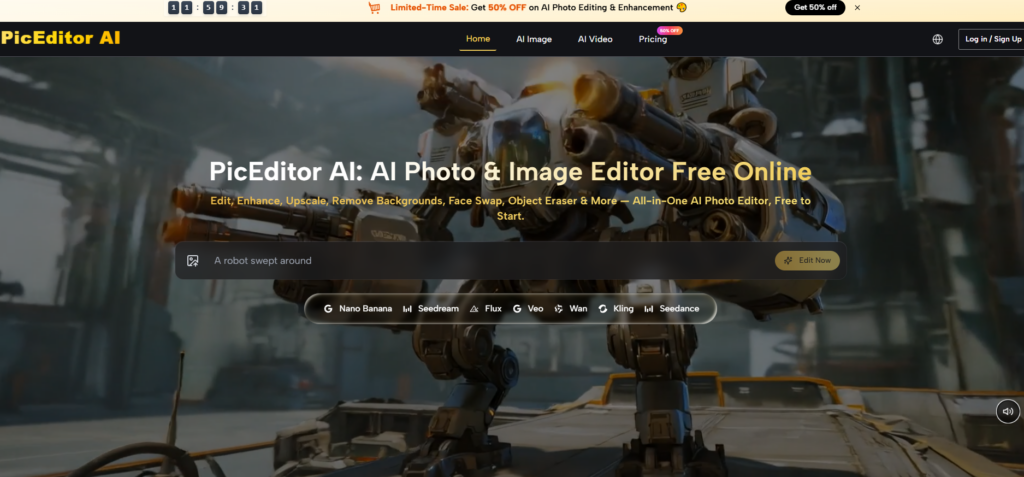
For decades, editing an image meant mastering a labyrinth of menus, sliders, and keyboard shortcuts. The tools were powerful, but they demanded a technical vocabulary that had little to do with creative vision. You had to think in layers, masks, channels, and curves—not in light, mood, or composition. Then came generative AI, and suddenly you could describe what you wanted and watch it appear. But even that promise came with caveats: different models understood language differently, and the gap between what you typed and what you got often felt like a chasm. AI Photo Editor takes a different path, treating natural language not as an optional input method but as the primary control surface for every edit, from background swaps to full scene generation. The result is an editing experience that feels less like operating machinery and more like having a conversation with a visually literate assistant.
When Prompts Become Precision Tools
The shift from click-based to language-based editing is more than a convenience upgrade. It changes what is possible in a practical editing session. With traditional tools, achieving a specific effect required knowing which combination of settings produced that effect. With language-driven editing, achieving the same effect requires describing it clearly. The skill set shifts from technical memorization to expressive clarity, which is a much more accessible bar for most creators.
The Vocabulary of Visual Intent
In my testing, the platform consistently responded to descriptive language with surprising accuracy. Requests like “soften the shadows on the left side of the face while keeping the highlights on the right” produced edits that understood both the direction and the degree of the adjustment. “Make the background feel like an overcast London morning” generated a tonal shift that was immediately recognizable as the requested atmosphere.
The key insight is that the platform interprets not just the nouns and verbs but also the adjectives and adverbs. Modifiers matter. “Slightly warmer” produces a different result from “dramatically warmer.” This granularity allows for a level of control that approaches manual editing without requiring manual dexterity.
The Iterative Dialogue
One of the most valuable aspects of the language-driven approach is the ease of iteration. An edit that misses the mark can be refined with additional description rather than starting over. If the first attempt at “remove the clutter from the desk” leaves a few items behind, a follow-up prompt specifying “remove the coffee cup and the papers, keep the laptop” zeroes in on the exact intent.
This conversational refinement transforms editing from a one-shot gamble into a collaborative process. The platform does not always get it right on the first try, but it consistently gets closer with each round of feedback. The cost of iteration is low, which encourages experimentation and reduces the fear of wasted effort.
Testing Language Precision Across Editing Tasks
To evaluate how well the language model handles different types of instructions, I ran a series of tests categorized by the complexity of the request.
Simple Directives: Single-Action Edits
The simplest category included requests like “remove the background,” “increase brightness,” or “apply a vintage filter.” These were handled almost flawlessly on the first attempt. The platform’s interpretation of common editing verbs is reliable enough that users can execute routine tasks with minimal thought.
Strength: Speed and reliability for everyday operations.
Limitation: The simplicity of these commands means they offer little advantage over one-click tools in other editors.
Composite Instructions: Multiple Elements in One Prompt
The second category combined several actions. “Remove the person on the left, replace the sky with a sunset gradient, and make the overall image warmer.” This kind of multi-clause prompt separated capable engines from the rest. The platform handled these composite instructions competently, though the quality of the output depended on the clarity of the phrasing.
Strength: The ability to process multiple simultaneous edits reduces the need for sequential prompting.
Limitation: Ambiguity in composite prompts—such as unclear which element is the subject of each clause—can produce unintended results.
Conditional and Contextual Requests
The third category involved conditional logic. “Make the lighting match the mood of a rainy afternoon” or “Add shadows that would be cast by a window on the left.” These requests require the model to infer context and apply physical reasoning. The platform performed respectably here, with outputs that generally aligned with the implied conditions.
Strength: The model demonstrates an understanding of lighting, physics, and mood that goes beyond simple pixel manipulation.
Limitation: Physical consistency is not guaranteed. Shadows may appear in the right direction but with incorrect softness or falloff.
The Role of Prompt Crafting in Output Quality
The platform’s performance is directly tied to the user’s ability to articulate visual ideas. This places a premium on descriptive writing skills that many creators do not initially possess. However, the iterative nature of the workflow compensates for this learning curve. Each failed attempt provides feedback that informs the next prompt, and the system rewards specificity with better results.
Tips for effective prompting: Use concrete visual references when possible. “Like the lighting in a Vermeer painting” is more effective than “dramatic lighting.” Reference direction, intensity, and color. Include negative instructions when needed: “Do not change the subject’s expression” can prevent unwanted modifications.
Where Language Reaches Its Limits
Despite its strengths, the language-driven approach has clear boundaries. Highly technical edits—such as precise color matching to a specific Pantone shade or exact cloning of a texture pattern—may require multiple iterations and still fall short of manual precision. The platform is optimized for creative and conceptual edits rather than color-critical production work.
Complex scene composition with many discrete elements can also challenge the model. Prompts involving multiple subjects, each with specific attributes, may produce results where some elements are correctly rendered while others drift from the description. This is less a flaw than a reflection of the inherent difficulty in parsing dense, multi-object instructions.
The platform does not replace the need for professional retouching in high-stakes applications. For commercial work requiring absolute fidelity, the outputs should be treated as a strong starting point rather than a finished product.
Who Benefits from Language-First Editing
The language-driven interface serves different user groups in distinct ways.
Casual users and beginners gain the most immediate benefit. The barrier to entry is almost nonexistent. Anyone who can describe what they want can produce usable edits.
Content creators working under deadline appreciate the speed of expression. Typing “make this look like a magazine cover” is faster than navigating multiple adjustment layers.
Creative directors and art buyers can use the platform to communicate visual ideas to themselves or others without needing to master editing software. The language output becomes a visual translation of their verbal brief.
Experienced editors may use the platform as a rapid prototyping tool before committing to detailed manual work. The language layer handles the heavy lifting of initial approximation, leaving the final polish for traditional tools.
Practical Steps to Get Started
The workflow is straightforward and requires no onboarding.

Step 1: Upload the Image
The platform accepts standard image formats and processes the upload within seconds. No account creation is required for basic use, which makes experimentation frictionless.
Step 2: Describe the Desired Edit
The core interaction is a text input field. Users type their request in natural language. The platform does not require specific syntax or keywords, though clarity and detail improve results.
Step 3: Review and Refine
The output appears quickly. If the result matches the intent, the edit is complete. If not, the user can refine the prompt and regenerate. This loop continues until satisfaction is achieved.
The Verdict: A New Way to Think About Editing
The language-first approach fundamentally changes the relationship between the creator and the tool. Instead of learning the tool’s language, the tool learns the creator’s language. This inversion is more than a usability improvement; it is a philosophical shift that makes editing accessible to a much wider audience while still offering enough depth to satisfy demanding use cases. The platform does not eliminate the need for visual literacy, but it does eliminate the need for technical literacy. For the vast majority of everyday editing tasks, that trade-off is not just acceptable—it is transformative.